Refund & Billing Policy

Last update : January 2026

This policy explains how billing and refunds work for Nevermiss Plus.

1. Billing

  • Payments for Nevermiss Plus are processed by Razorpay or another secure payment partner.
  • We do not store your full card or bank details.
  • Subscriptions may auto-renew (monthly or yearly) unless cancelled.

During the pilot, we may offer free trials or temporarily free access to Plus features. Where this applies, it will be clearly indicated in communication or onboarding.
2. Free Trials

We may provide:

  • Time-limited free trials
  • Limited-feature access to Nevermiss Plus

At the end of a free trial, you may:

  • Be prompted to add a payment method to continue, or
  • Automatically move to the Free Plan

We will avoid unexpected charges by clearly explaining when billing will start.

3. Refunds

We aim to be fair and transparent. You may be eligible for a refund if:

  • You were incorrectly charged (e.g., duplicate payment)
  • You were charged after cancellation due to our error
  • The service was significantly unavailable for an extended period (for example, more than 48 consecutive hours), and you raise a request

Refunds are not typically provided for:

  • Partial periods (e.g., cancelling mid-month)
  • Non-usage of the service
  • Mistakes in reminders set by you
  • Issues caused by WhatsApp outages, device problems, or network issues outside our control

All refund decisions are made in good faith and at our discretion.

4. How to Request a Refund

If you believe you're entitled to a refund:

  1. Email support@nevermiss.bot
  2. Include:
    • Your name (optional)
    • Your phone number used with Nevermiss
    • Date and approximate time of the charge
    • Reason for the refund request

If approved, refunds will be processed back to your original payment method, usually within 5–7 business days (subject to Razorpay or bank timelines).

5. Cancelling Your Subscription

You can cancel your paid subscription at any time by:

  • Using Razorpay's subscription management options (where available), or
  • Emailing support@nevermiss.bot and requesting cancellation

Cancellation will:

  • Stop future automatic renewals
  • Not automatically issue refunds for past periods unless refund conditions are met

6. Changes to This Policy

We may update this Refund & Billing Policy when needed. When we do, we will update the "Last updated" date at the top.

7. Contact

For billing or refund questions, contact:

support@nevermiss.bot

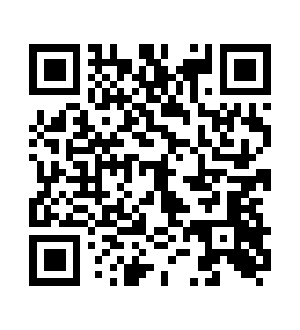
Scan to Start on WhatsApp

WhatsApp QR Code